BullPhish ID May 14, 2026 v2.145 release notes
Enhancements
Edit Training & Awareness Campaign page has been redesigned
The Edit Training & Awareness Campaign page has been redesigned to match the layout and usability of the Create Training & Awareness Campaign page. For more information, see Edit a training campaign.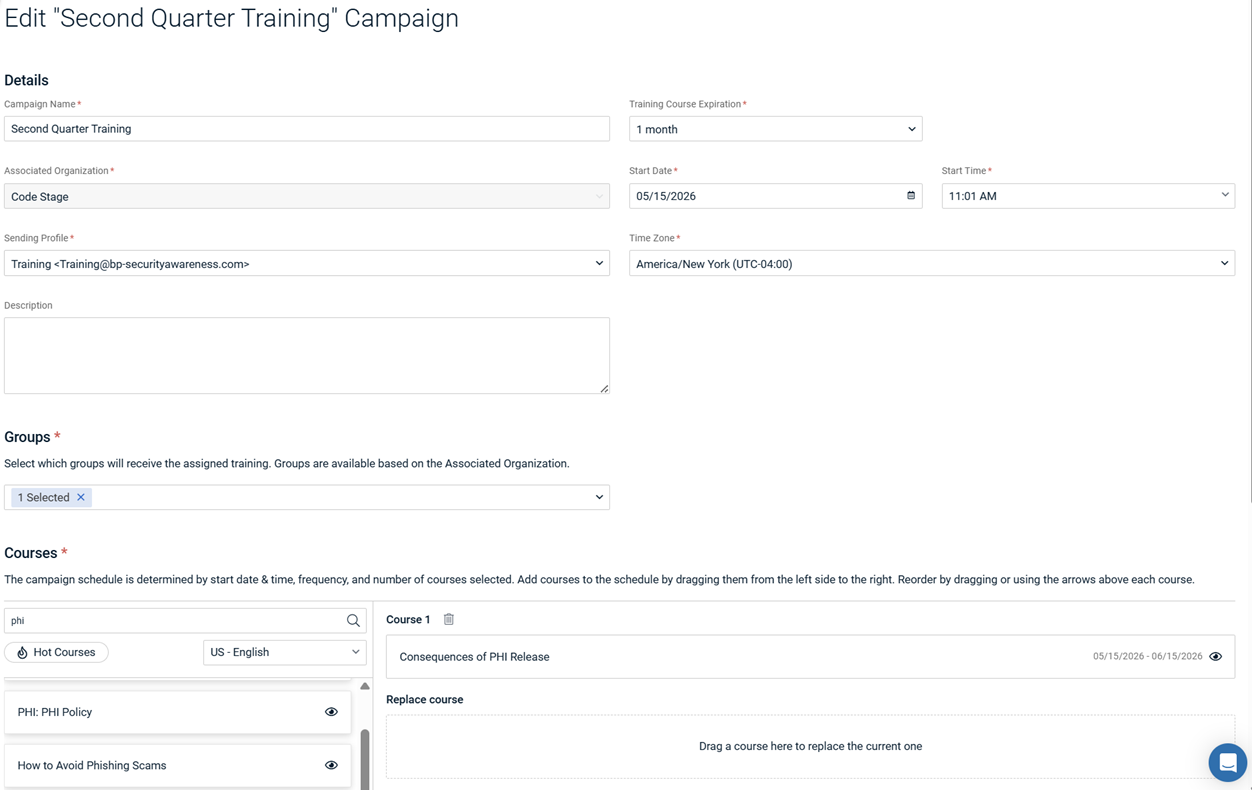
Edit multi‑course training campaigns
Multi‑course training campaigns with a Scheduled Frequency of Once are linked into a single logical set. Previously, edits made to campaigns in the set appeared in the user interface but were not applied and the original settings remained unchanged.
Now, when you edit one of these campaigns and save, you’re prompted to either apply changes to the current campaign only (which unlinks it) or apply the changes to all linked campaigns (which keeps them linked).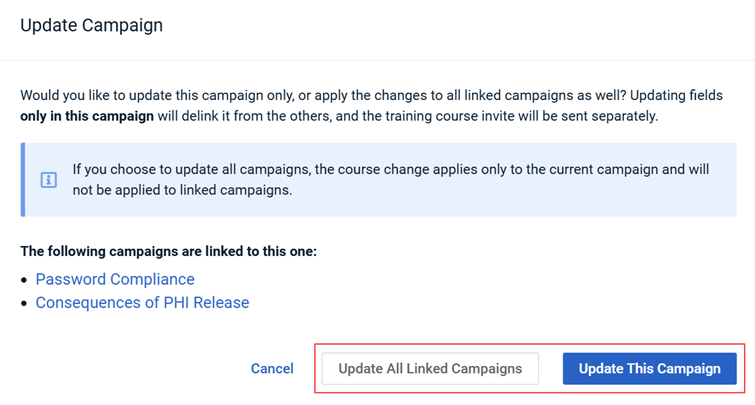
For more information about editing multi‑course training campaigns, see Editing a multi-course campaign.
Import groups – mandatory field indicators
When creating a group, an asterisk is now shown next to the Email field to indicate it is a required field when importing a CSV file in the Create Group dialog box.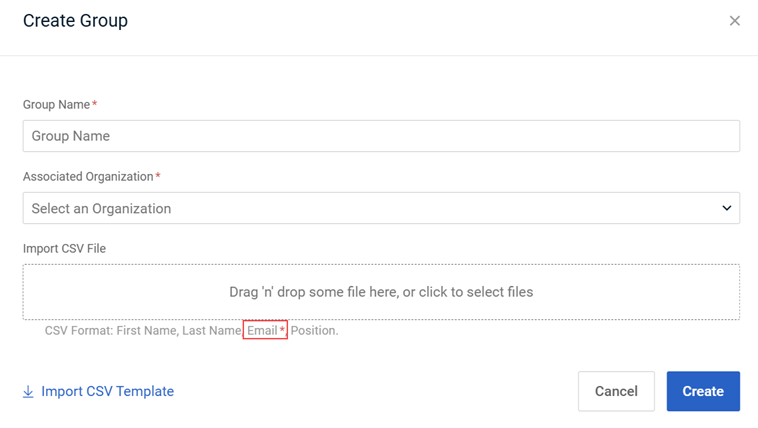
For more information, see Creating a group.


