Enabling KaseyaOne Unified Login for your BullPhish ID organization
Pre-Requisites:
- To Enable KaseyaOne unified single sign-on, also known as unified login, you must be a partner administrator for BullPhish ID and an administrator in KaseyaOne.
- You must have login credentials for BullPhish ID and KaseyaOne. If you do
not have them, contact your administrator. - You should have added 2FA to both BullPhish ID and KaseyaOne.
- You must have the same email address for BullPhish ID and KaseyaOne accounts.
KaseyaOne Unified Login
KaseyaOne is the customer portal and central hub for all products that belong to the Kaseya IT Complete portfolio. This platform allows end users to securely authenticate with multiple modules by using just one set of credentials. Enabling KaseyaOne Unified Login in BullPhish ID provides the following benefits to your organization:
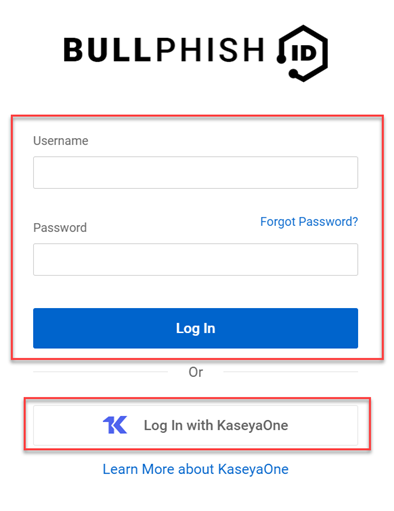
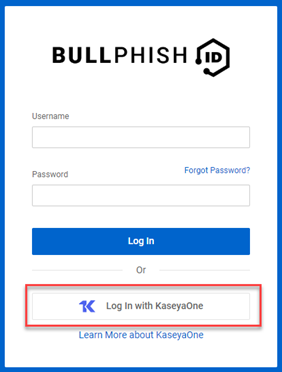
- Users can log into BullPhish ID via the Log In with KaseyaOne link and enter their KaseyaOne credentials. Users will still have the ability to login with their BullPhish ID account credentials.
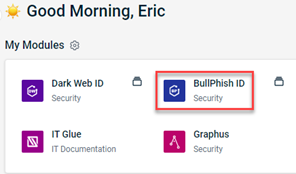
- Users logged into the KayeyaOne site can access BullPhish ID by clicking its icon.
IMPORTANT Only one partner organization can be linked to a KaseyaOne account. If a partner organization is deleted in BullPhish ID, the integration link between BullPhish ID and KaseyaOne is automatically deleted as well.
How to...
 Enable KaseyaOne Unified Login
- On your Organization's Dashboard, click Settings.
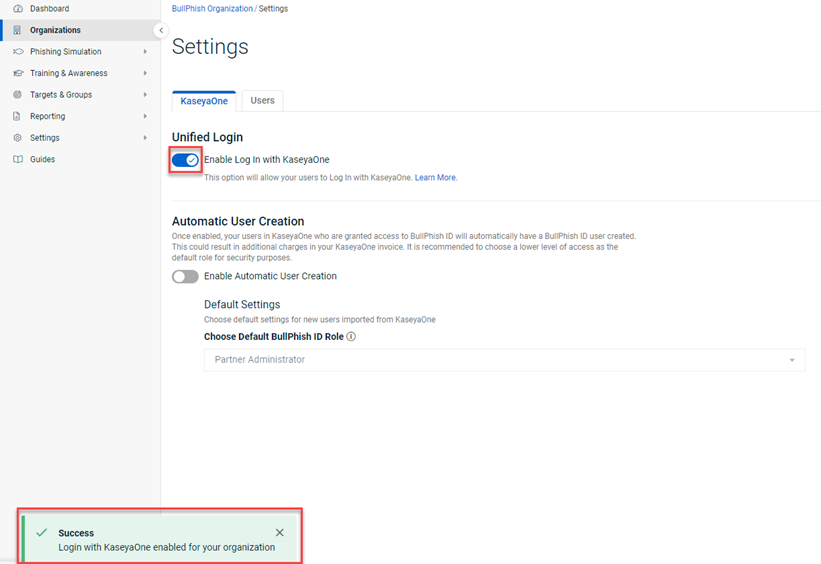
The Settings page is displayed with the KaseyaOne tab selected.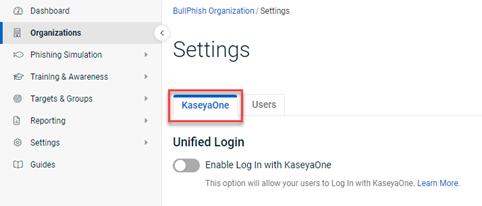
- In the Unified Login section, click the Enable Log In with KaseyaOne toggle.
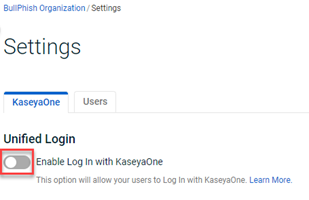
- You are redirected to the KaseyaOne login page. Log into KaseyaOne.
- You are redirected back to BullPhish ID. The Enable Log In with KaseyaOne toggle is activated. A message is displayed indicating that logging in with KaseyaOne is successfully enabled for your organization.
Users can now log into BullPhish ID by clicking Log In with KaseyaOne on the BullPhish ID login page and enter their KaseyaOne credentials.
- To enable BullPhish ID user accounts to be created automatically for users who do not yet have a BullPhish ID user account, go to the article Enabling automatic user creation.
To learn more about KaseyaOne or unified single sign-on, visit the KaseyaOne Help Desk page.
| Revision | Date posted |
| Updated steps 3,4,6,7,8 | 8/2/23 |
| Original content reformatted. | 8/28/23 |
| In Important: Added - If a partner organization is deleted in BullPhish ID, the integration link between BullPhish ID and KaseyaOne is automatically deleted as well. |
2/28/25 |
| Edited prereq: To Enable KaseyaOne unified single sign-on, also known as unified login, changed partner to partner administrator for BullPhish ID and an administrator in KaseyaOne. |
2/19/26 |


