BullPhish ID May 4, 2026 v2.144 release notes
Enhancements
Recreate Training & Awareness Campaign page has been redesigned
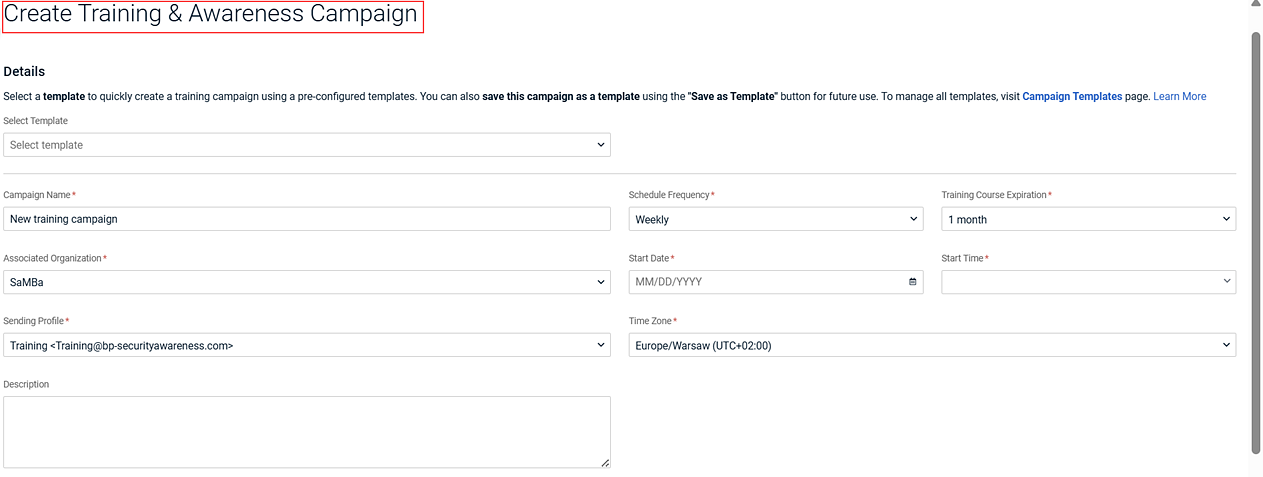
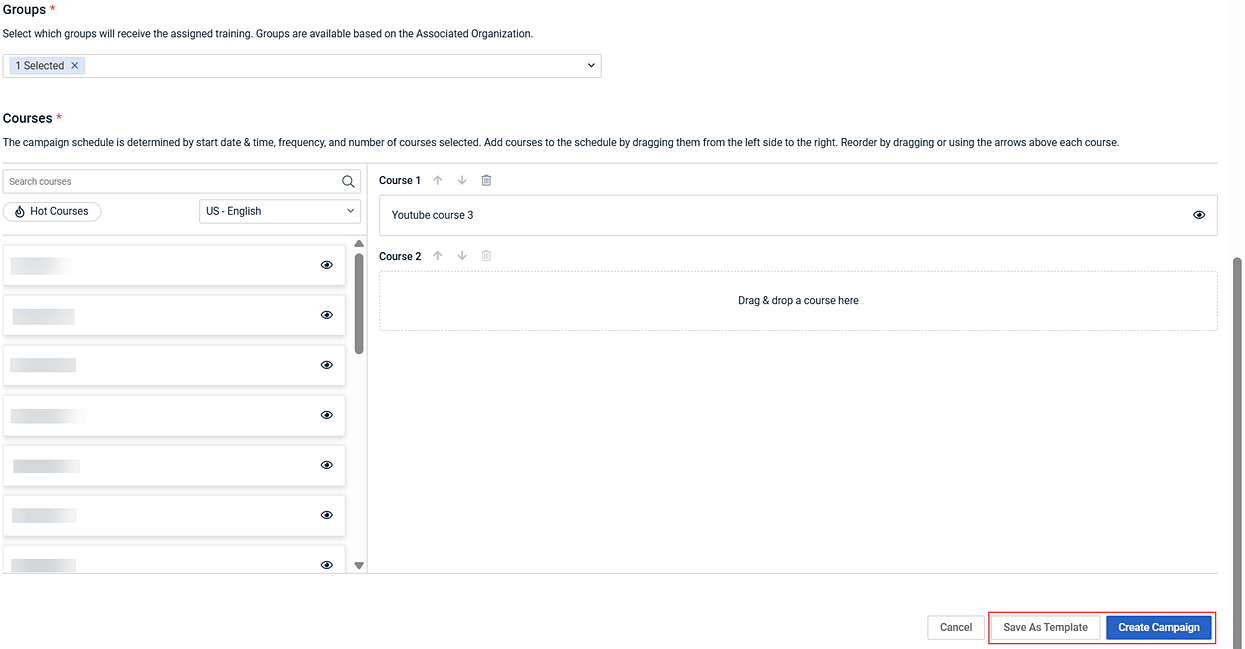
The Recreate Training & Awareness Campaign page has been redesigned to match the layout and usability of the Create Training & Awareness Campaign page. Campaign recreation behavior remains unchanged: all criteria from the original campaign are automatically selected in the new campaign and can be edited as needed.
Changes include:
- Updated page title to Create Training & Awareness Campaign.
- Renamed Recreate button to Create Campaign.
- Added the option to save changes as a new template.
For more information, see Recreating a training campaign.
Reusable campaign template updates
Updates to the reusable campaign templates workflow improve visibility and ease of use when working with global templates.
Campaign Templates Tab
BullPhish ID templates are now labeled Global Template in the Associated Organization column.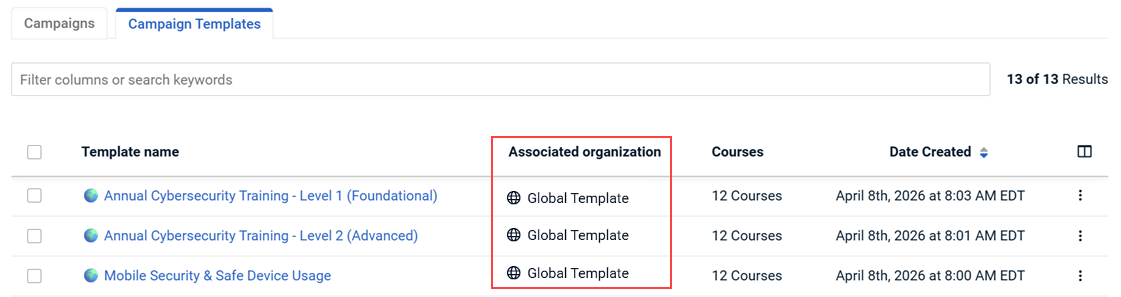
Create Training & Awareness Campaign Page
- The option to create a partner template in the Associated Organization drop-down list is now called Save as Global Template - Share across all your organizations.
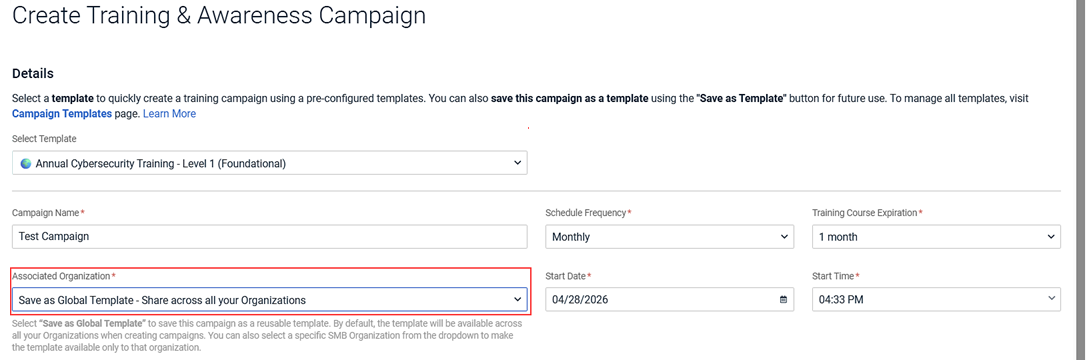
- Updated instructional text in the Courses section clarifies that the campaign schedule is determined by the start date and time, frequency, and number of selected courses. Guidance for adding and reordering courses has also been revised.

For more information, see Reusable campaign templates and Creating a training campaign
Training course selection limit
When creating a training campaign, a maximum of 150 courses can be selected. The system prevents dragging and dropping additional courses once the maximum limit is reached.
Updated license overuse messaging for Per User accounts
License overuse banners have been removed for Per User accounts. When active targets exceed purchased targets, administrators now see an overuse indicator only on the subscription card.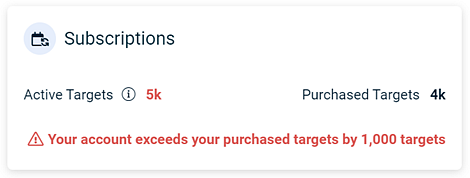
IMPORTANT This update does not affect billing.
Fixes
Issue
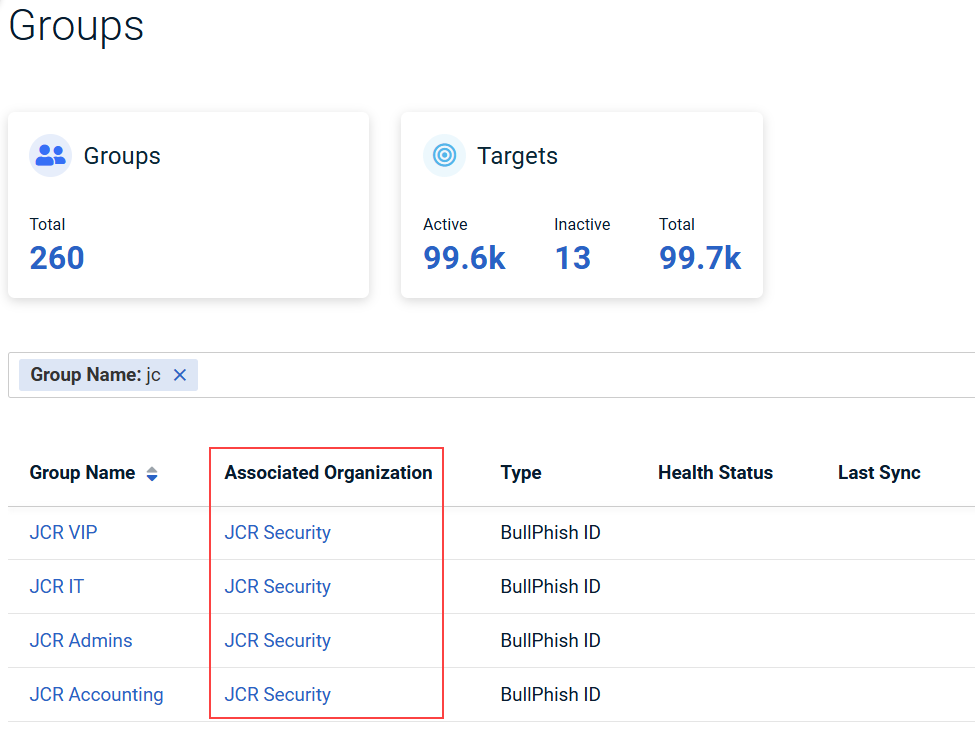
On the Groups page, the Associated Organization column did not always display the organization name when 100 rows per page was selected. This issue has been resolved. The Associated Organization column now consistently displays the organization to which each group belongs, regardless of the number of rows selected per page.